FuelStack

No sign-up.
Just your stack.

Build your stack, tick off each dose, get reminded on time. On your phone, offline, from the first launch.

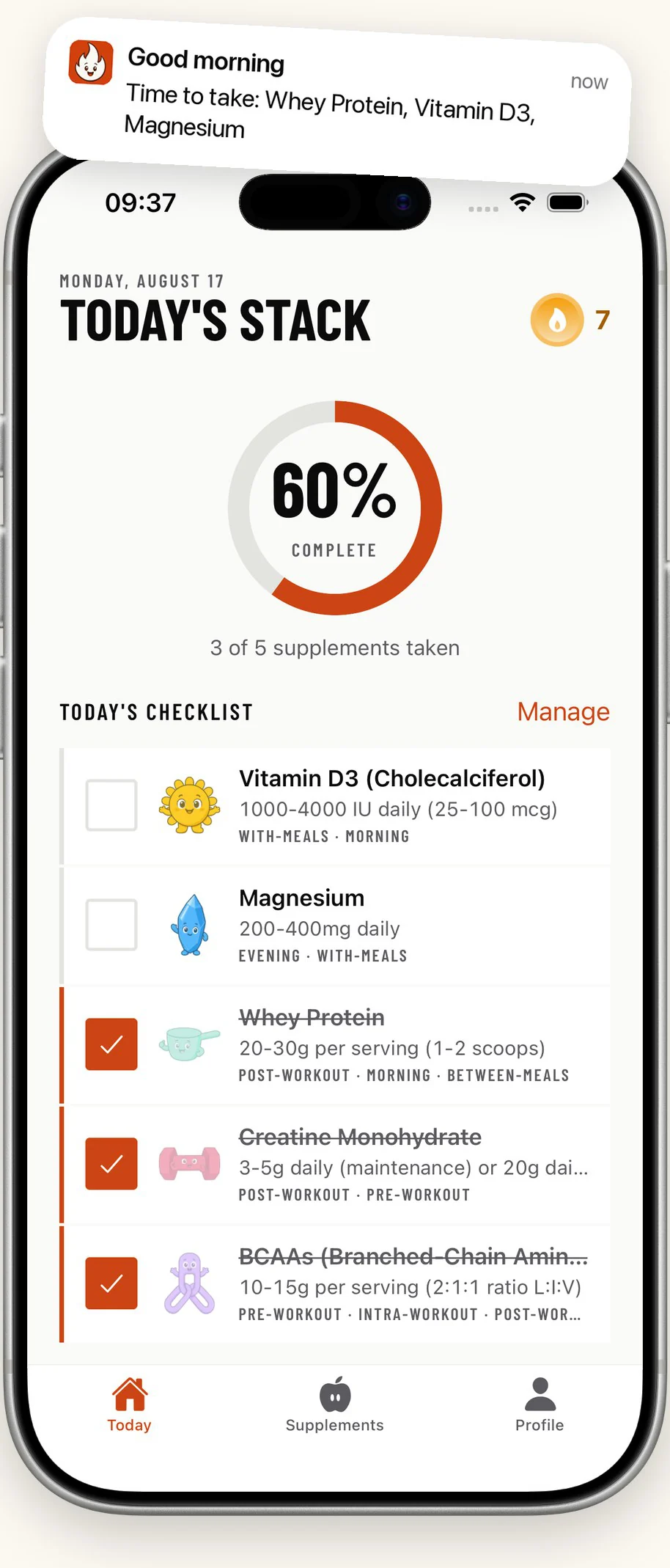
The FuelStack home screen: a morning reminder, a 60 percent completion ring and the day's checklist with three of five supplements ticked off.

Everything lives on your phone

FuelStack keeps your stack, your doses and every tick in the app itself. It opens on the tracker, runs with no connection, and asks you for nothing before it is useful.

The catalogue is in the download
All 26 supplements, with their usual doses and the moments they suit, ship inside the app. There is no first-run sync to sit through.
Reminders are scheduled on the device
iOS holds them and fires them. There is no push server behind FuelStack, and no marketing messages come through it.
An account adds one thing
Make one when you want your data on a second iPhone, or back after a reinstall. Everything you already tracked comes with you.

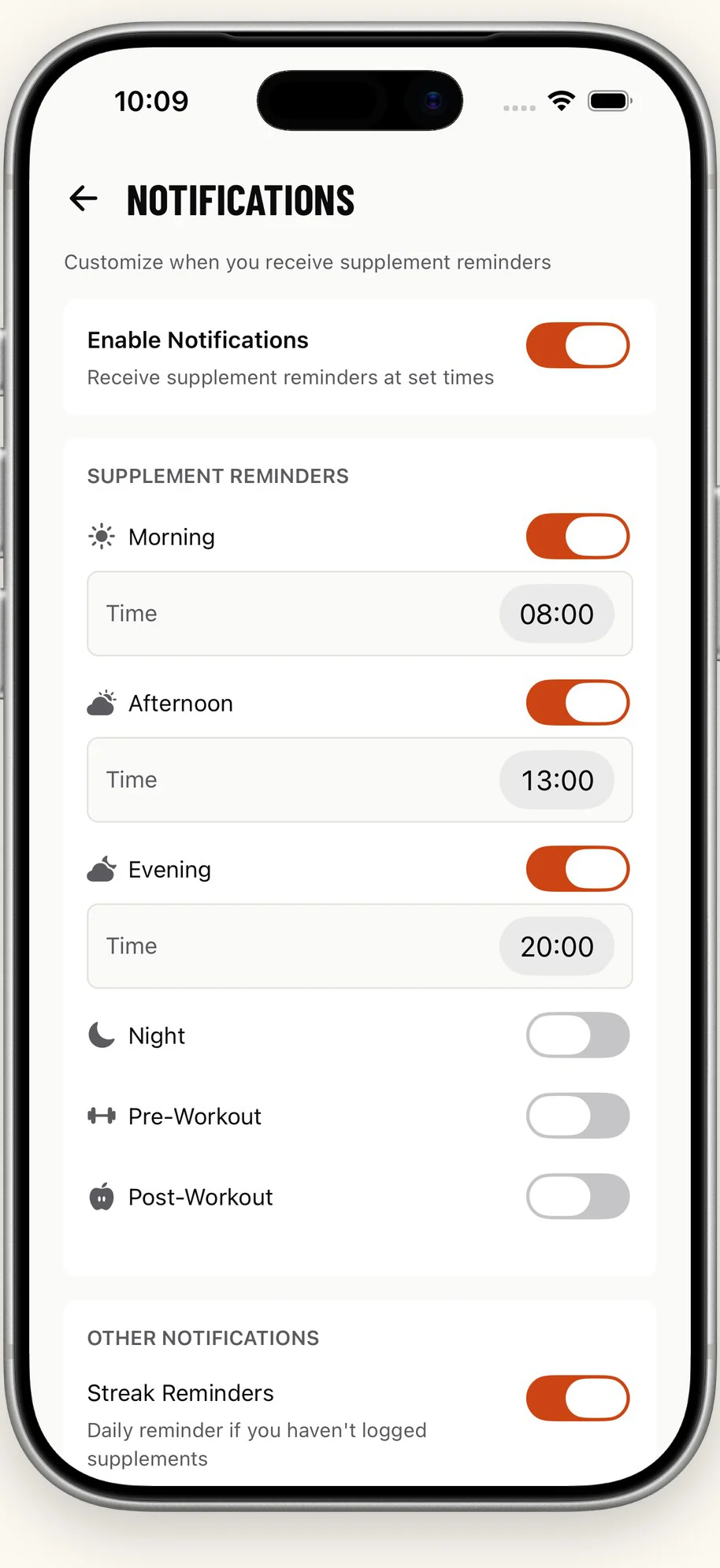
Six reminder slots, each with its own time

Turn on the ones your day actually has, and move them wherever you want. A fresh install starts with the morning slot and the evening streak reminder on, and nothing else.

  • Morning08:00
  • Afternoon13:00
  • Pre-workout17:00
  • Post-workout19:00
  • Evening20:00
  • Night22:00

The FuelStack notification settings: a master switch, then Morning, Afternoon, Evening, Night, Pre-Workout and Post-Workout, each with its own time.

26

Supplements ship inside the app

From whey protein to melatonin, across eight families. Add your own too, with whatever name and dose you use.

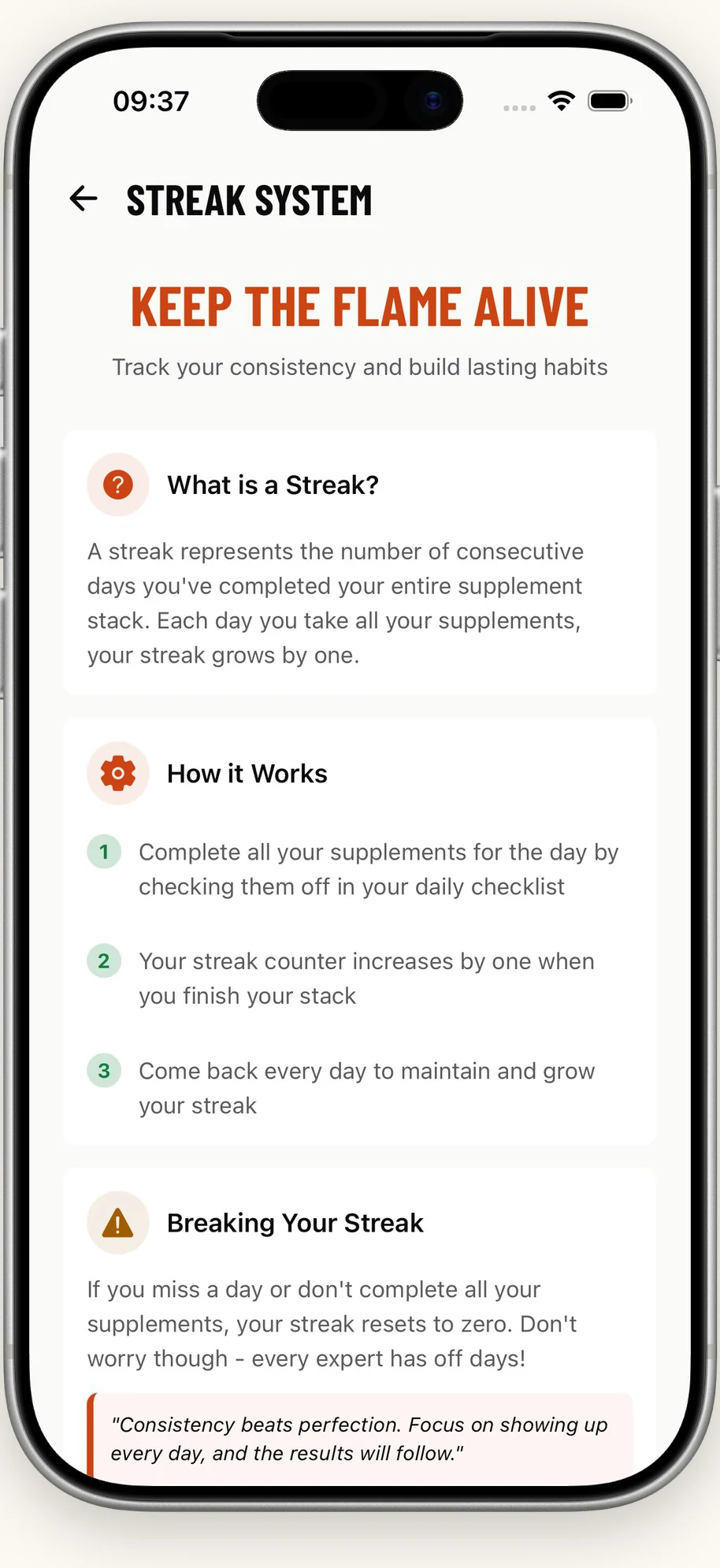
The FuelStack streak screen explaining that a streak counts consecutive days on which the whole stack was completed.

A day counts once the whole stack is done

Not most of it. All of it. That is the only rule the streak has, and it is why the number means something. Miss a day and the count starts again from one.

The evening reminder is cancelled as soon as you tick the last one, so it never tells you off for a day you finished.

Doses that follow your weight

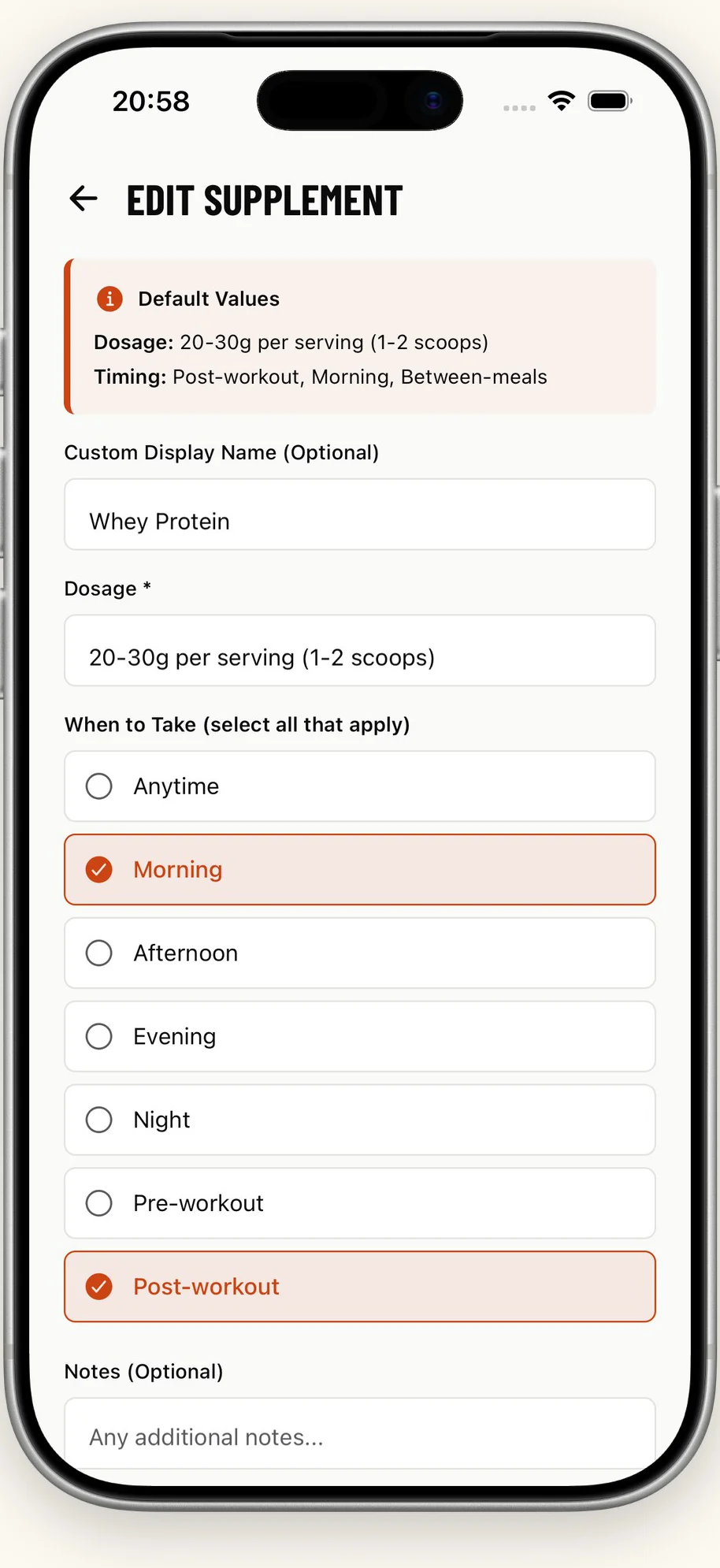
When a supplement is dosed per kilogram, the app works it out for your body weight and shows you the number. You can override any dose and any timing.

The FuelStack edit screen for whey protein, showing the default dose and the timings you can select.
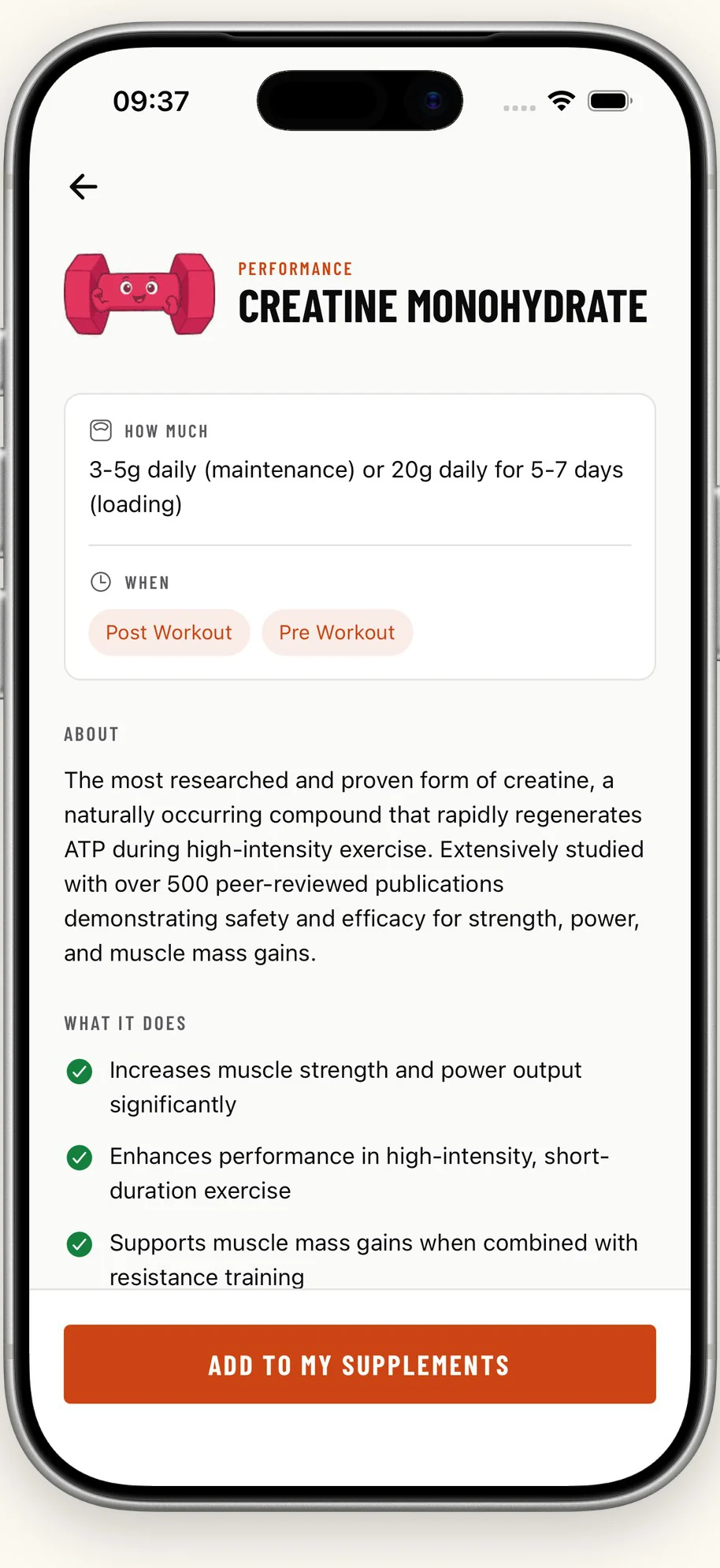
The creatine monohydrate page in FuelStack: how much, when to take it, what it does, and a button to add it to your supplements.

Know what you are taking

Every supplement in the catalogue has a page, and every page answers the same five things before you add it to your day.

How much
The usual dose, and the calculated one when it depends on your weight.
When
The moments it suits, from pre-workout to just before bed.
What it does
What the supplement is understood to do, in plain sentences.
What to watch
Interactions, tolerance and the cases where it is a bad idea.
Where it comes from
Links out to the published papers behind the entry.

All twenty-six of them

Proteins, amino acids, performance, vitamins, minerals, essential fats, herbals and the rest. Each one drawn for the app, so a stack reads at a glance instead of as a list of words.

  • Whey Protein
  • Casein Protein
  • Plant Protein (Pea, Hemp, Rice)
  • BCAAs (Branched-Chain Amino Acids)
  • L-Glutamine
  • L-Carnitine
  • Creatine Monohydrate
  • Beta-Alanine
  • Citrulline Malate
  • Caffeine
  • Pre-Workout Blends
  • Vitamin D3 (Cholecalciferol)
  • Vitamin B12 (Cobalamin)
  • Vitamin C (Ascorbic Acid)
  • Multivitamin
  • Magnesium
  • Zinc
  • Calcium
  • Iron
  • Omega-3 Fish Oil
  • Omega-3 (Algae-Based)
  • MCT Oil
  • Collagen Peptides
  • Turmeric/Curcumin
  • Ashwagandha
  • Melatonin

Free, with nothing to buy

There is nothing to buy inside FuelStack. No subscription, no unlock, no advertising. iPhone only, iOS 15.1 or later, available in 175 countries.

Not medical advice

FuelStack keeps track of what you have decided to take. It does not diagnose anything and it does not prescribe anything. Talk to a doctor or a pharmacist before you start, stop or change a supplement, and especially if you take medication. The app says the same thing the first time you open it.

Start today’s stack

Download on the App Store